
Built for specialty contractors.
Fewer projects, deeper detail. The record has to show what you were issued, what you raised and what changed — and it has to hold up when a question comes back weeks later.
A traceable record of what happened on the job.
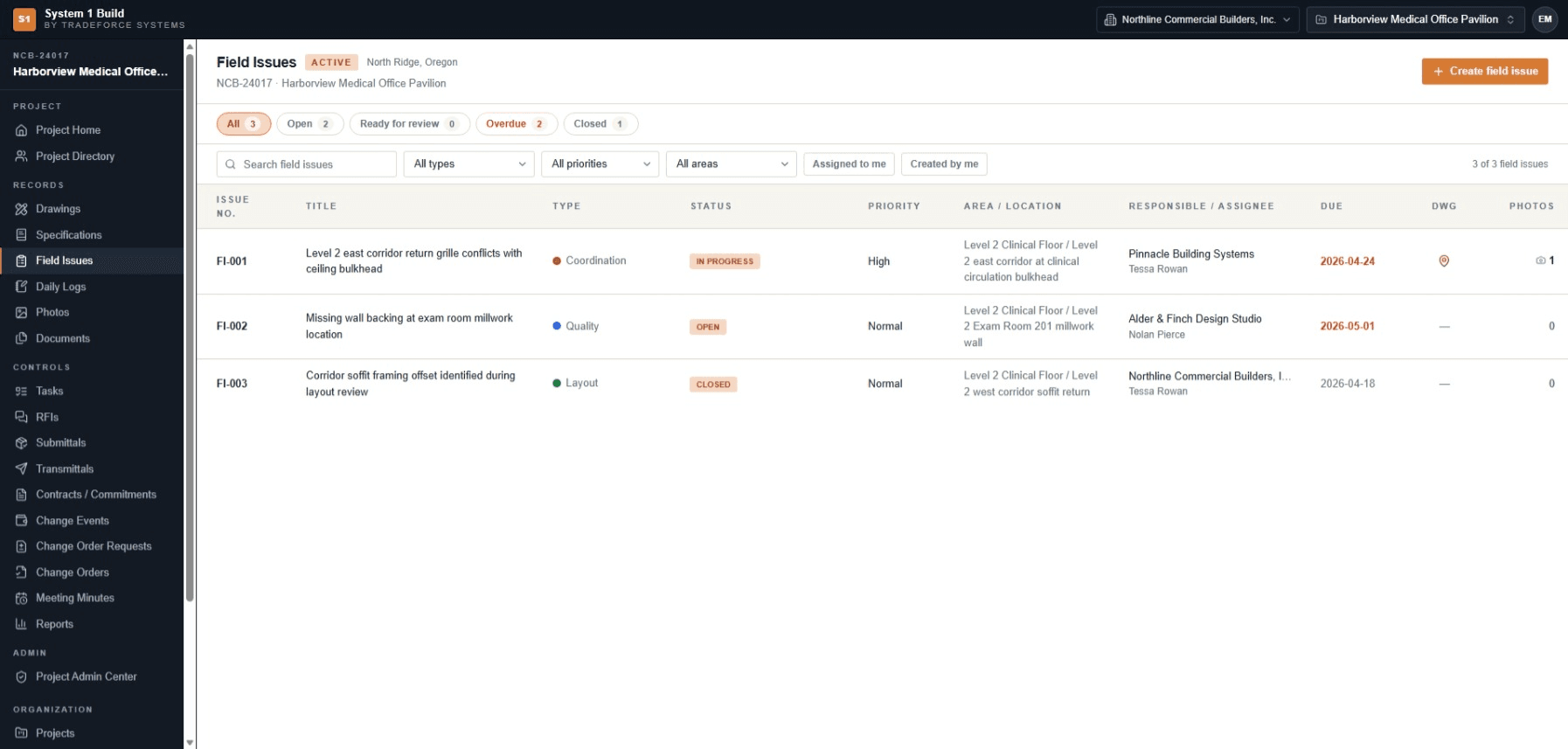
Field issues carry a type — including punch items — a responsible company, an assignee and a due date, and they move through an explicit open, in-progress, ready-for-review and closed workflow that keeps its own timeline. Nothing depends on someone remembering who was told and when.
Work from the current sheet, in the field.
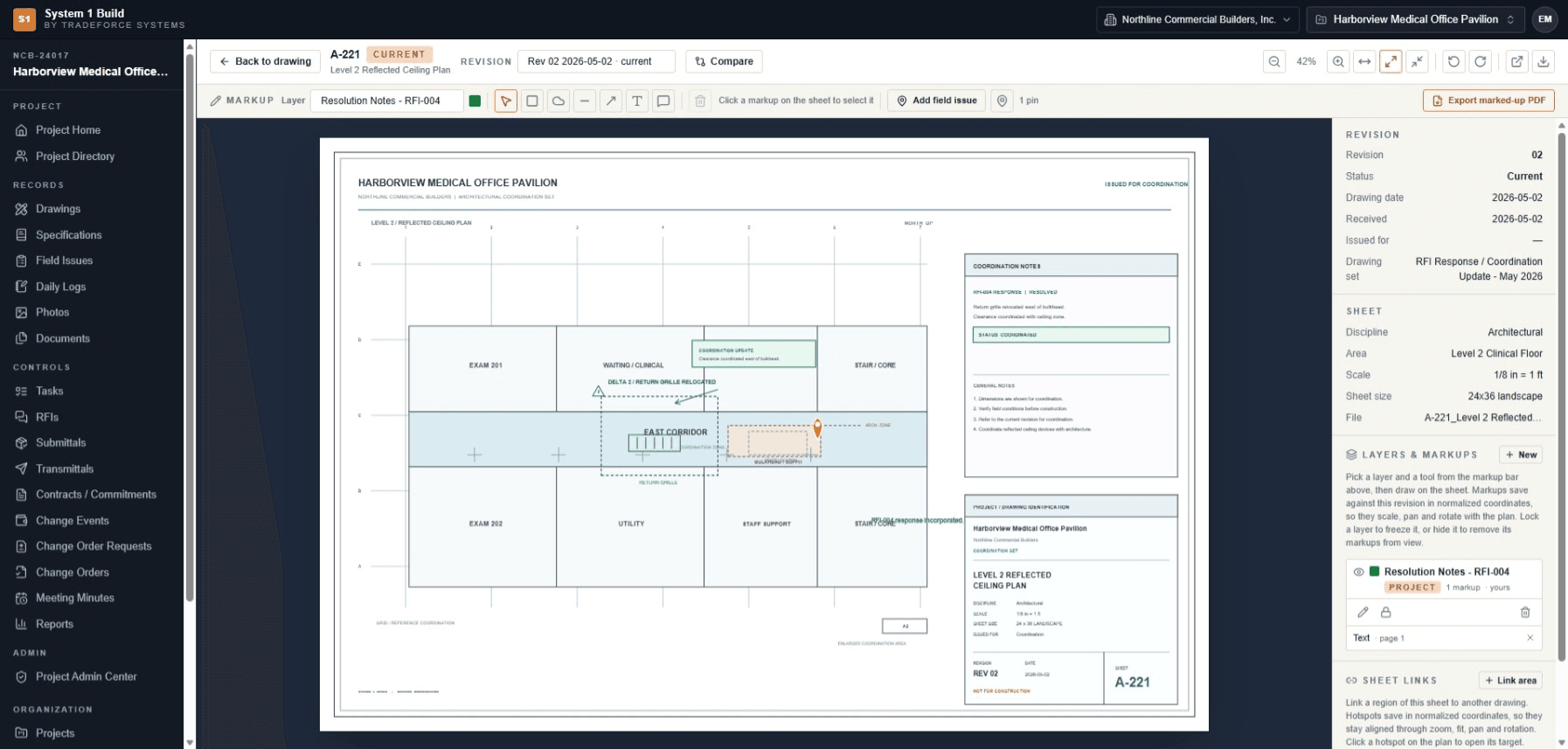
The register names the current revision, and the in-app viewer opens the sheet with zoom, rotate and page controls. System 1 Build runs in a phone or tablet browser, so the crew can open the current sheet and capture a photo where they are standing — the same web application, on a smaller screen.
A daily record of labour and progress.
Daily logs capture weather, per-company manpower counts, typed activity entries, delays and attachments, moving through draft, submitted, approved and locked states. The record of what happened on a given day is entered once and kept with the project.
What was issued, and where the commercial position stands.
Numbered transmittals record a document, drawing, RFI or submittal issued to a recipient — the project's issued-record trail. Contracts, change events and change orders sit in the project so the current commercial position is visible as the job moves.
System 1 Build tracks the project's commercial position — contracts, changes and current value — and works alongside your accounting system.
What a specialty contractor gets.
- Field issues
- Typed issues — including punch items — with responsible company, assignee, due date, photos and a status timeline.
- Daily logs
- Weather, per-company manpower, typed activities and attachments, with draft, submitted, approved and locked states.
- Project photos
- A project photo record with albums, per-photo visibility and duplicate detection.
- Transmittals
- Numbered records tying a drawing, document, RFI or submittal to a recipient — the issued-record trail.
- Contract and change visibility
- Contracts, change events and change orders visible at project level, alongside your accounting system.
Specialty contractor questions.
Can I use it on site from my phone?
Yes. System 1 Build runs in a phone or tablet browser, including camera-input photo capture — the same web application, on a smaller screen.
Does it keep a record of what I was issued?
Numbered transmittals record a document, drawing, RFI or submittal issued to a recipient. The record captures what was issued and to whom; delivery itself is performed by you.
Is this an accounting system?
No. System 1 Build tracks the project's commercial position — contracts, changes and current value — and works alongside your accounting system. It is not presented as accounting, billing or job costing.
Can the crew see the current drawing?
Yes. The register names the current revision, and the in-app viewer opens the sheet in the browser with zoom, rotate and page controls.
Put your own drawings, issues and daily records against it.
Tell us how your team keeps its project record today, and we'll come back to you by email with pricing and fit information.