
Run the job from one current record.
System 1 Build holds the drawings, RFIs, submittals, field records, documents, contracts and changes that run a commercial project — one connected record, current for the people responsible for the work.
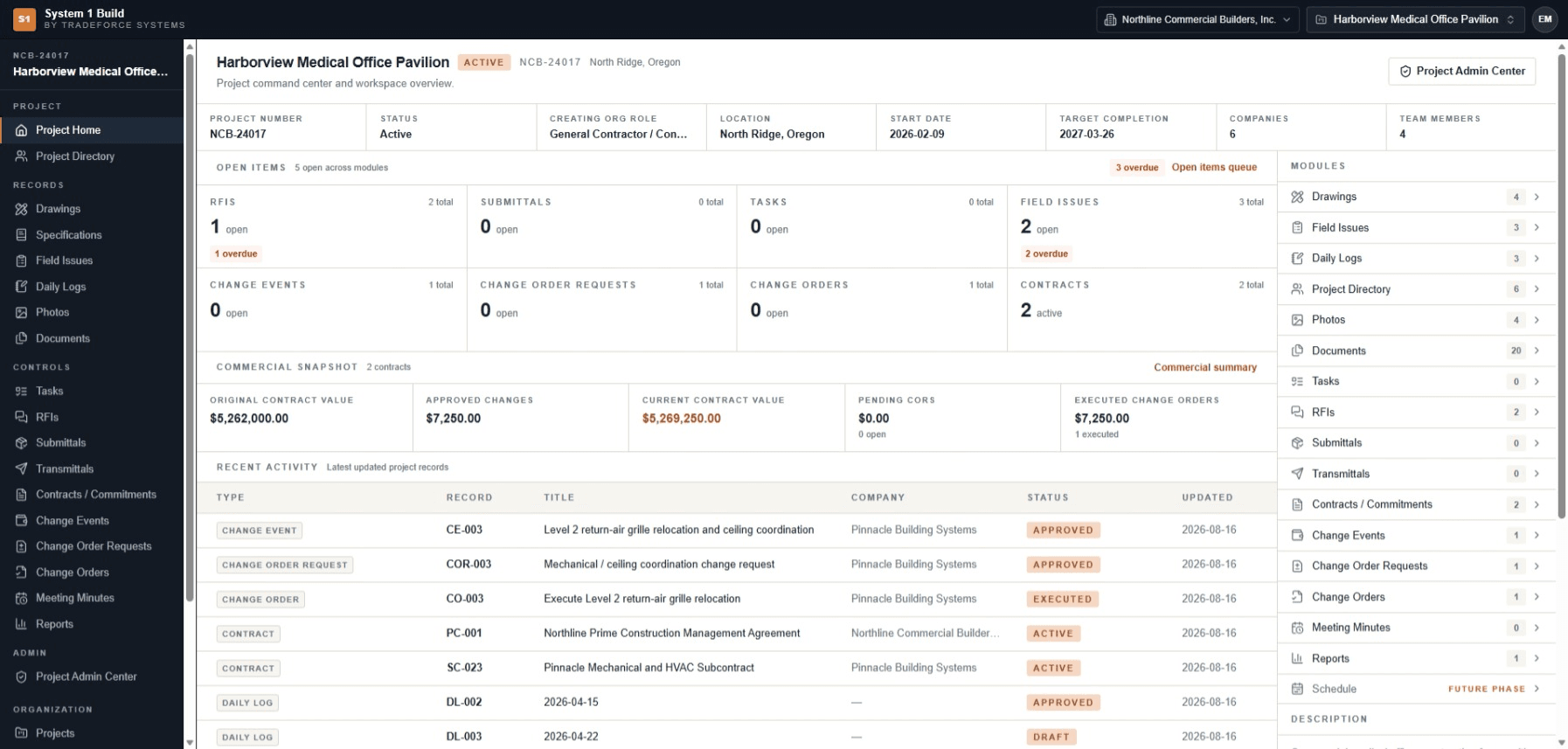
Your project shouldn’t live in six places.
When drawings sit in one folder, RFIs in email and the field record in a spreadsheet, finding what is current becomes work of its own. The cost shows up as concrete failures, not abstract inefficiency:
A superseded sheet
Someone builds from the revision that has already been replaced.
An answer stuck in an inbox
An RFI is answered in an email that nobody else on the job sees.
A status rebuilt by hand
Friday's picture of the job is assembled from folders and memory.
Five things a connected record changes.
One current project record
Open the project and its state is read, not rebuilt.
See how →Build from the current drawing
The current revision is named, and what changed is visible.
See how →Keep open work visible
Open questions, pending reviews and overdue items sit in one queue.
See how →Accountability you can trace
Who was responsible, what was issued and what changed stay with the job.
See how →Changes visible early
The current contract position, and every change moving toward it.
See how →
See what changed — not just that a revision exists.
Put the current sheet beside the revision it replaced. Rev 02 reads CURRENT; Rev 01 reads OUTDATED, in the same working view.
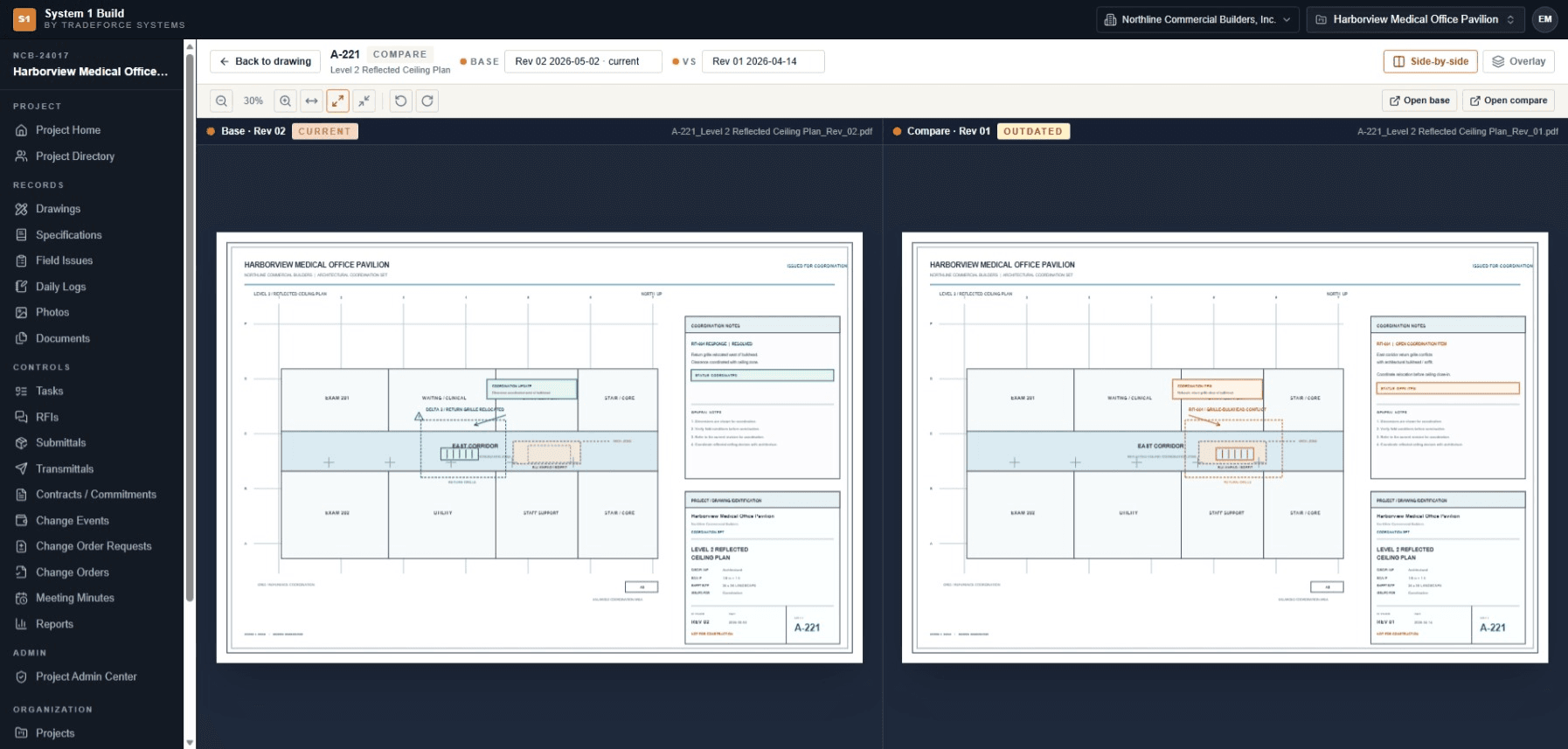
Scroll sideways to see the full comparison, or use the arrow keys.
Six workflows that run a commercial project.
- 01
Project Workspace
Project context, open items and recent activity resolve in one view.
In detail → - 02
Drawings & Revisions
A register that names the current revision, with viewer, markup and compare.
In detail → - 03
Field Issues & Daily Logs
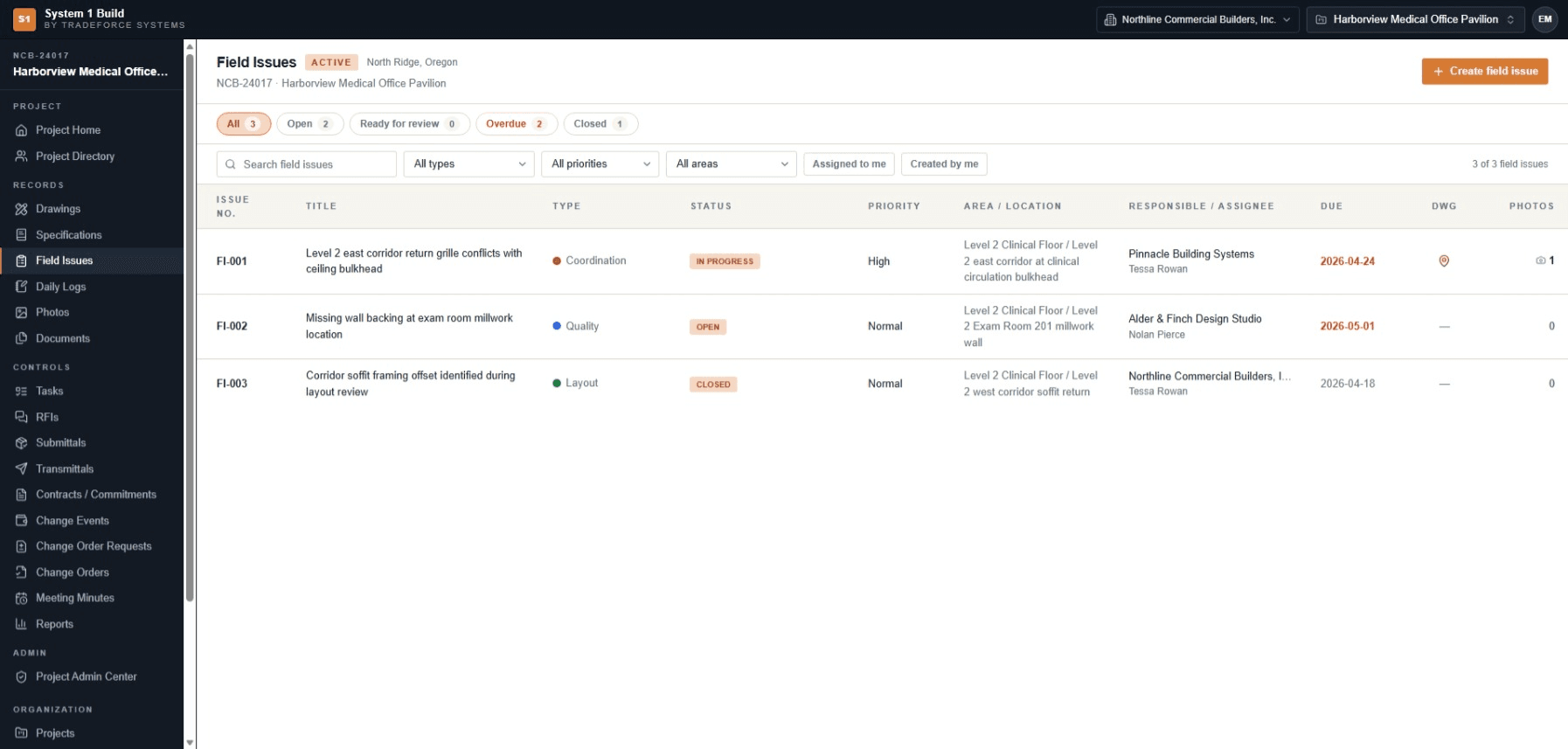
Typed issues with owners and due dates, and a daily record kept with the job.
In detail → - 04
RFIs & Submittals
Questions with an official answer, and submittal reviews that drive status.
In detail → - 05
Documents & Specifications
Project documents and a specification register in one authorized place.
In detail → - 06
Contracts & Changes
Contracts and the change chain, with the current commercial position.
In detail →
The team acts on what is current.
When the question, the sheet and the field issue live on the job — with an owner and a date — the team acts on what is current instead of chasing what is missing. Open questions, pending reviews and overdue items are visible in one queue before they become schedule problems.
Built around the people running the work.
Different responsibilities read different parts of the record. Access follows organization, project membership and role, so people see the parts of the project they are responsible for.
Executive / owner
The current commercial position, and a history you can trace.
Project manager / engineer
Open items with owners and due dates, and which sheet is current.
Superintendent / field
The current sheet, and capture from the field in a phone browser.
Project administration
Membership, invitations and the governance audit trail.
External collaborators
Work inside the project, scoped to your own company.
Access stays controlled around the project.
Project-based access
A person sees a project only when they have been given membership on it — access is granted, never assumed.
Private file delivery
Every file download is authorized at request time. There are no public file links.
Invitation-based accounts
People join by invitation, scoped to their company and role — there is no open self-registration.
See how System 1 Build fits the way your team runs the job.
Tell us about your projects and the workflows you want to make clearer — we'll come back to you by email with pricing and fit information.