
Built for commercial general contractors.
You are the point where every other company's information has to agree. When drawings, questions, field observations and changes land in separate inboxes and folders, reconciling them becomes the general contractor's job — done by hand, on a deadline.
One project record every company works from.
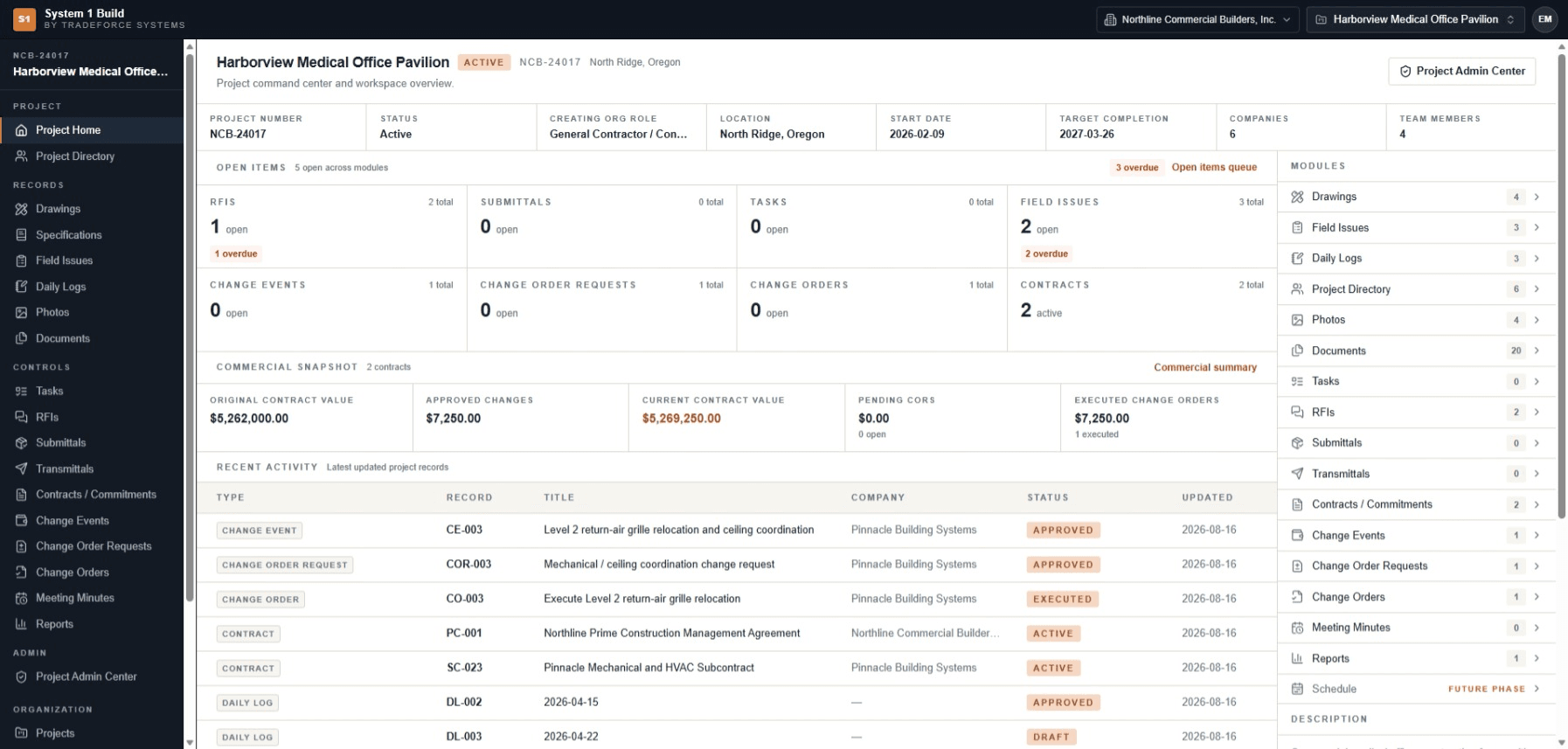
Open the project and its context is already resolved: number, status, location, open-item counts across every record type, the commercial snapshot for those entitled to it, and recent activity. The project directory holds the companies on the job — owner, design team, trades — and the people attached to each.
The current state of the record is something the team reads, not something it rebuilds before every meeting.
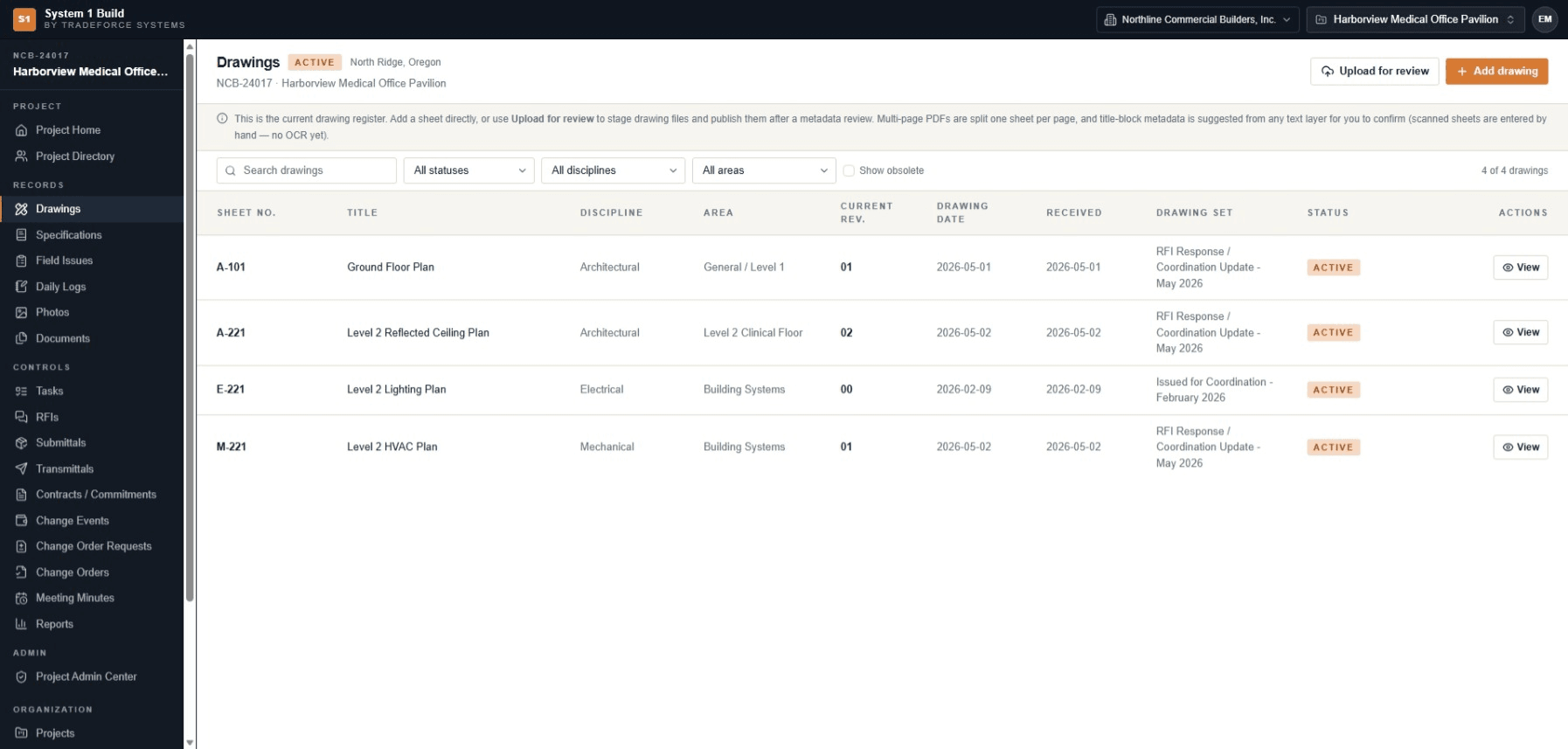
The current sheet is a lookup, not a distribution list.
The drawing register names the current revision of every sheet, and the one it replaced stays addressable for comparison. Everyone with project access reads the same register, so there is no separate step where the latest set has to be pushed out and reconciled.
When a revision moves, side-by-side compare shows what changed — not just that a change happened.
Open questions are visible before they become delays.
RFIs carry due dates and an official-answer step; submittal reviews drive a submittal's status; field issues carry owners and due dates. A cross-module open-items queue shows what is open, overdue and due soon across those record types in one place.
The queue reads the record types the project tracks, so open work stays visible without anyone assembling a status list by hand.
Invite the companies you work with — and scope what they see.
People join a project by invitation and accept through a secure link; invitations can be resent, cancelled and expire. External companies work under company-scoped access: they see their own company's records on the projects they were invited to, while administrative, directory and commercial surfaces stay closed to them.
What a general contractor gets.
- Project directory
- The companies on the job and the people attached to them, with project roles.
- Project invitations
- Invite people to a project and let them accept through a secure link; resend, cancel and automatic expiry.
- External collaborators
- Company-scoped access: outside companies see their own records; admin, directory and commercial surfaces stay closed.
- Drawing register and compare
- The current revision named for every sheet, with side-by-side or overlay comparison of the one it replaced.
- Open-items queue
- RFIs, submittals, field issues and change records with overdue and due-soon visibility in one view.
General contractor questions.
Can the trades and design team work in the same project?
Yes. External companies join by invitation with company-scoped access — they see their own company's records on the projects they were invited to, and administrative, directory and commercial surfaces stay closed to them.
How does everyone get the current drawing set?
The register names the current revision of each sheet, and everyone with project access reads the same register. There is no separate distribution step to reconcile — the current sheet is a lookup.
Who can see contract and change values?
The commercial snapshot — original value, approved changes and current value — is visible only to users with the commercial capability. It is not shown to external collaborators.
How do people join a project?
By invitation. A person is invited to the project and accepts through a secure link, and invitations can be resent, cancelled or left to expire.
See it against the way your projects actually run.
Tell us how your team coordinates a commercial job today, and we'll come back to you by email with pricing and fit information.