
Issues that carry their own context.
A field observation becomes a record with a type, an owner and a date — not a message somebody has to remember.
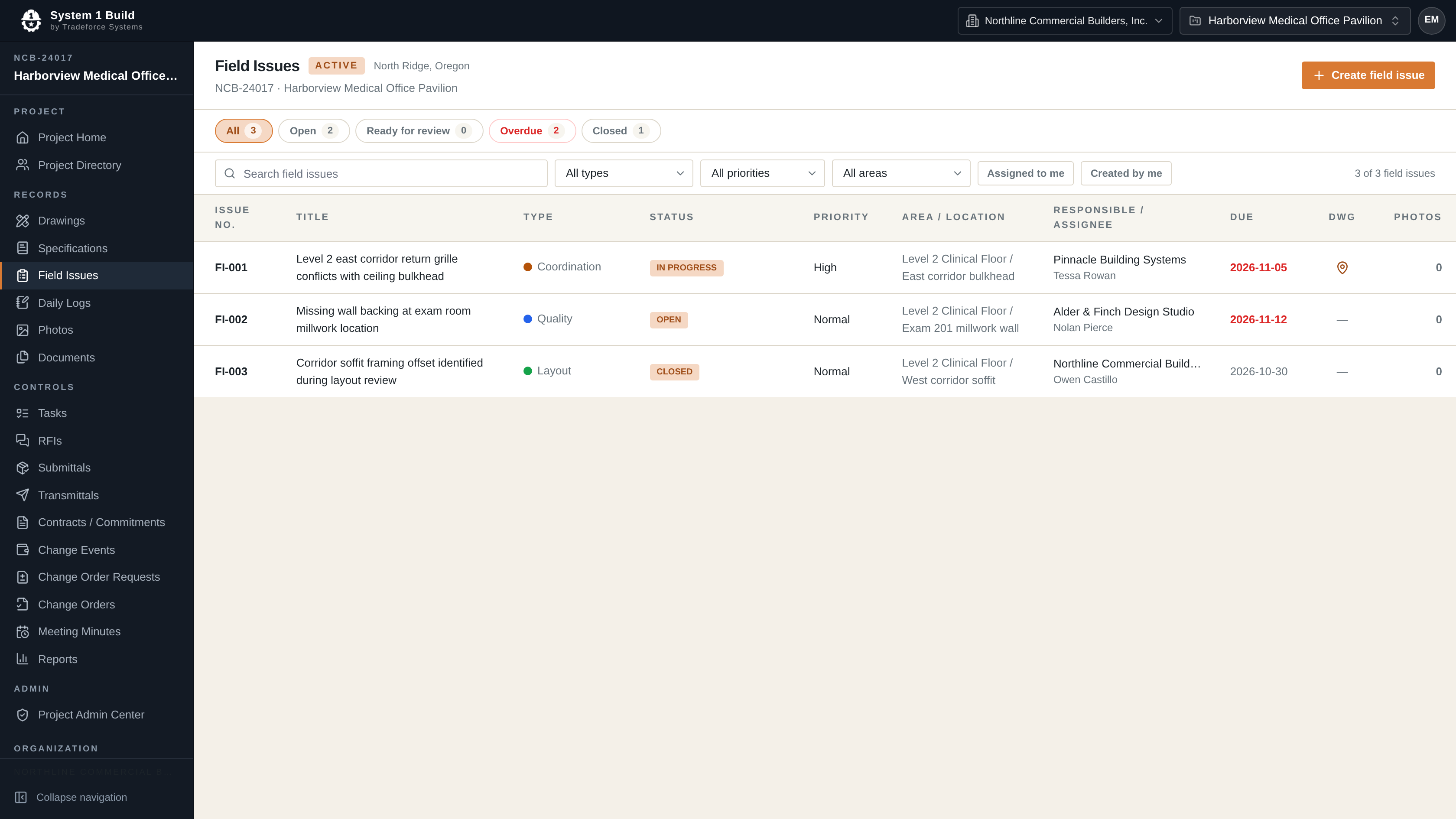
Every issue, with an owner and a date.
Each field issue holds an issue number, title, type — including punch items — status, priority, area and location, the responsible company and assignee, a due date, the drawing it relates to and any photos attached to it. Open, in-progress, ready-for-review and closed are filters, not folders, and each issue keeps its own timeline.
Daily logs capture weather, per-company manpower, typed activities and attachments, and the project keeps a photo record.
- Field Issues with responsible company, assignee and due date
- Configurable issue types, including punch items
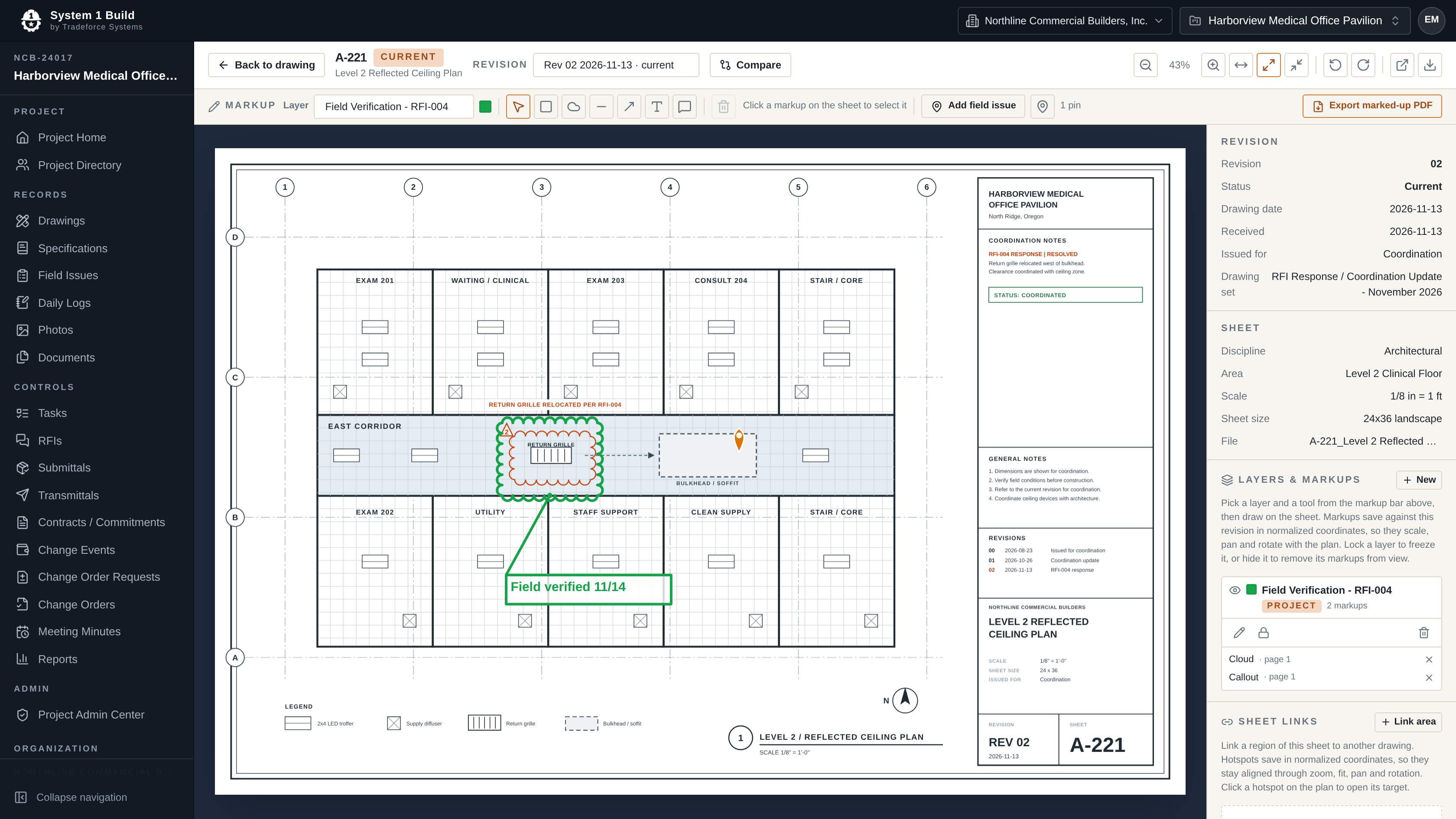
- Issues raised directly from the drawing they were found on
- Daily Logs with draft, submitted, approved and locked states
- A project photo record with albums and per-photo visibility
The current sheet, where the crew is standing.
System 1 Build runs in a phone or tablet browser, so the field can open the current sheet and capture a photo where they are standing — the same web application, on a smaller screen.
Field questions.
Can the field team use it on a phone?
Yes. System 1 Build runs in a phone or tablet browser, including camera-input photo capture — the same web application, on a smaller screen.
Can I run a punch list with it?
Yes. Punch items are one of the project-configurable field-issue types, so a punch list is field issues typed as punch items — with owners, due dates, photos and a status workflow.
See field issues against your own punch and coordination work.
Tell us how your team tracks field issues today, and we'll come back to you by email with pricing and fit information.