
Drawing and revision control.
Someone builds from a superseded sheet, and the revision that changed everything is found late. Paper markups live in one person's set. A drawing register that names the current revision — and shows what changed — is how that stops being a memory problem.
A register that answers “which sheet is current?”
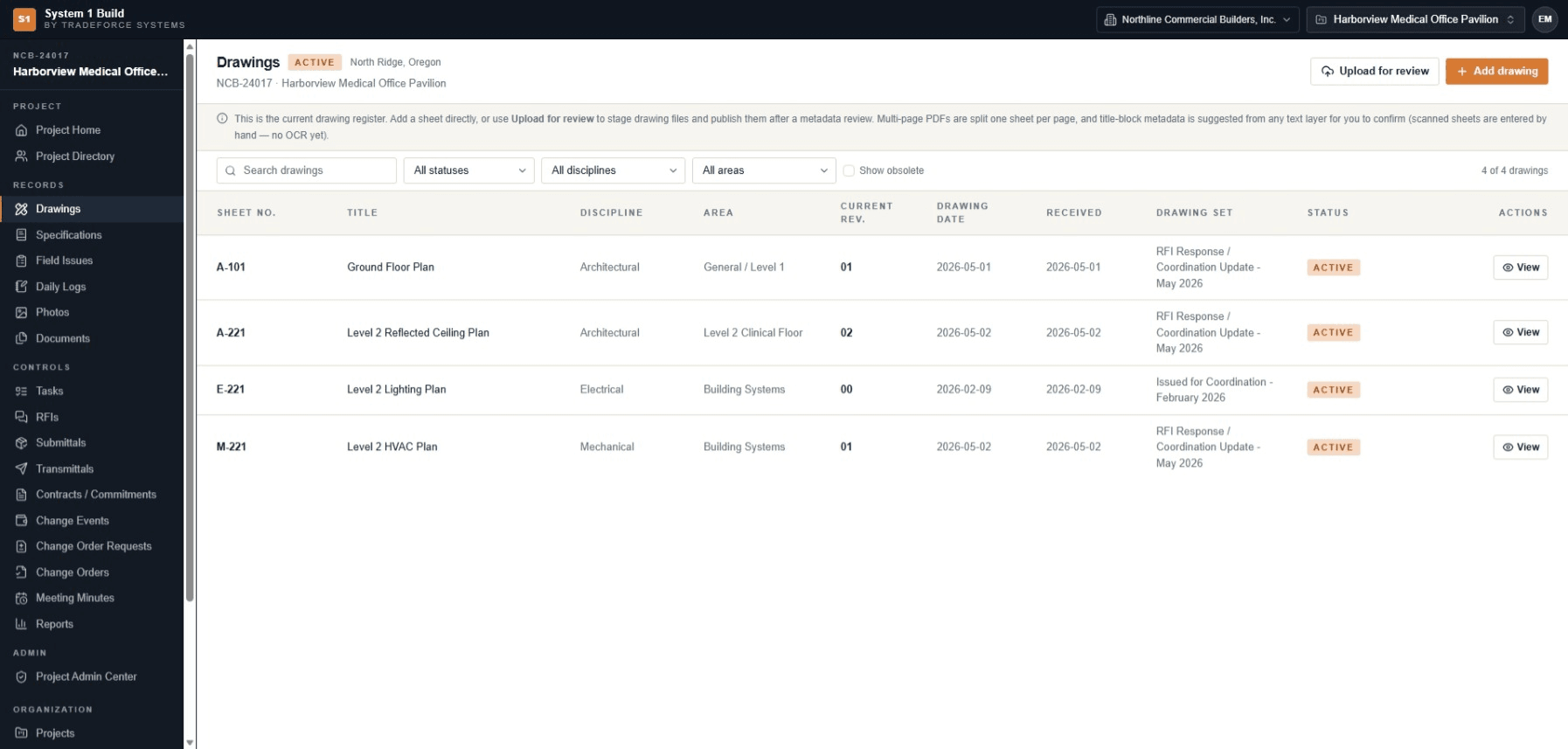
Every sheet carries its number, title, discipline, area, current revision, drawing date, received date, drawing set and status. Superseded revisions stay addressable rather than getting in the way, so the current sheet is a fact anyone with access can look up.
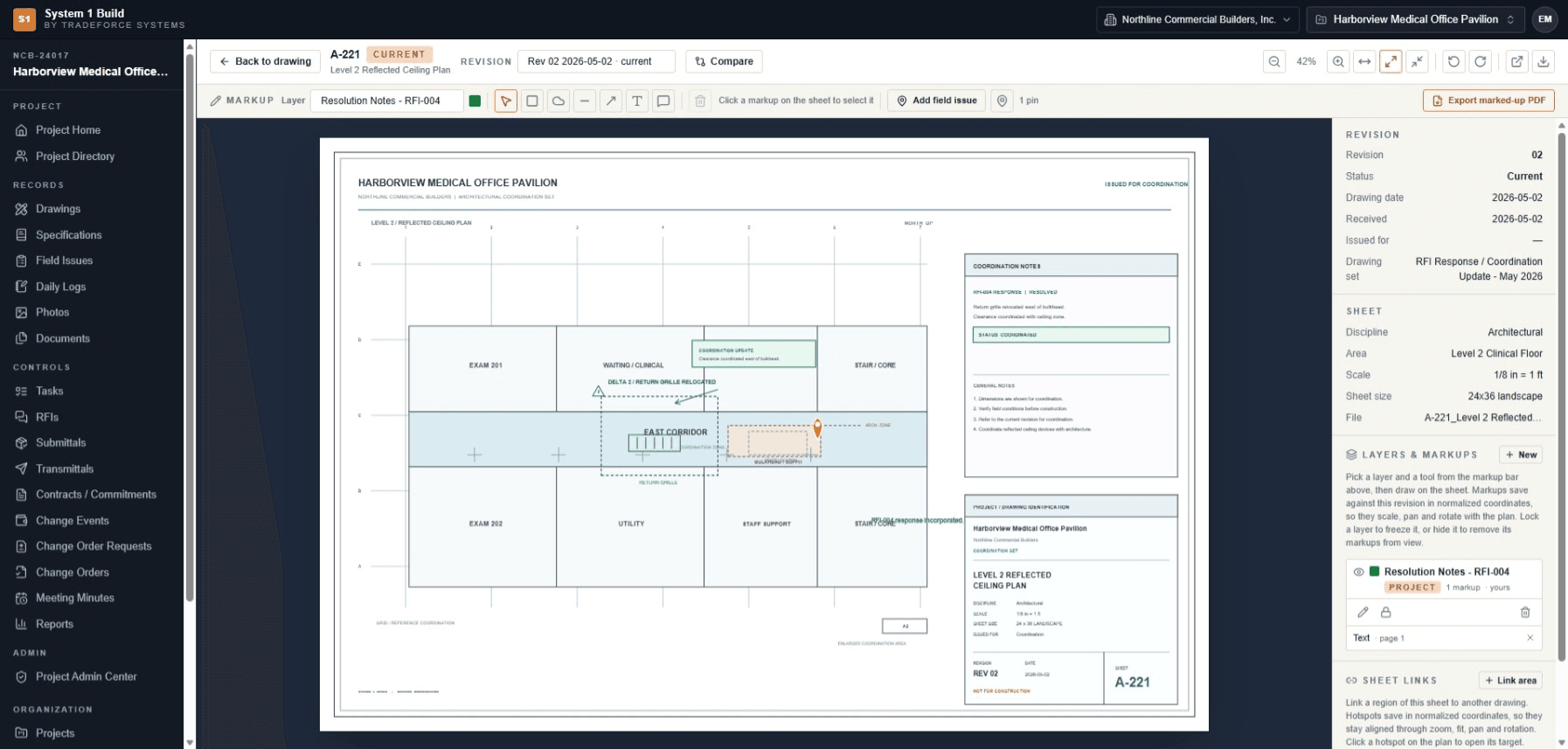
Open the sheet, mark it up, keep the markup with the revision.
The in-app viewer opens a sheet with zoom, rotate, page and fit controls over an authorized route. Markup layers save against the revision in normalized coordinates, hold their position through zoom and rotation, and can be locked or hidden. The marked-up sheet exports as a PDF download.
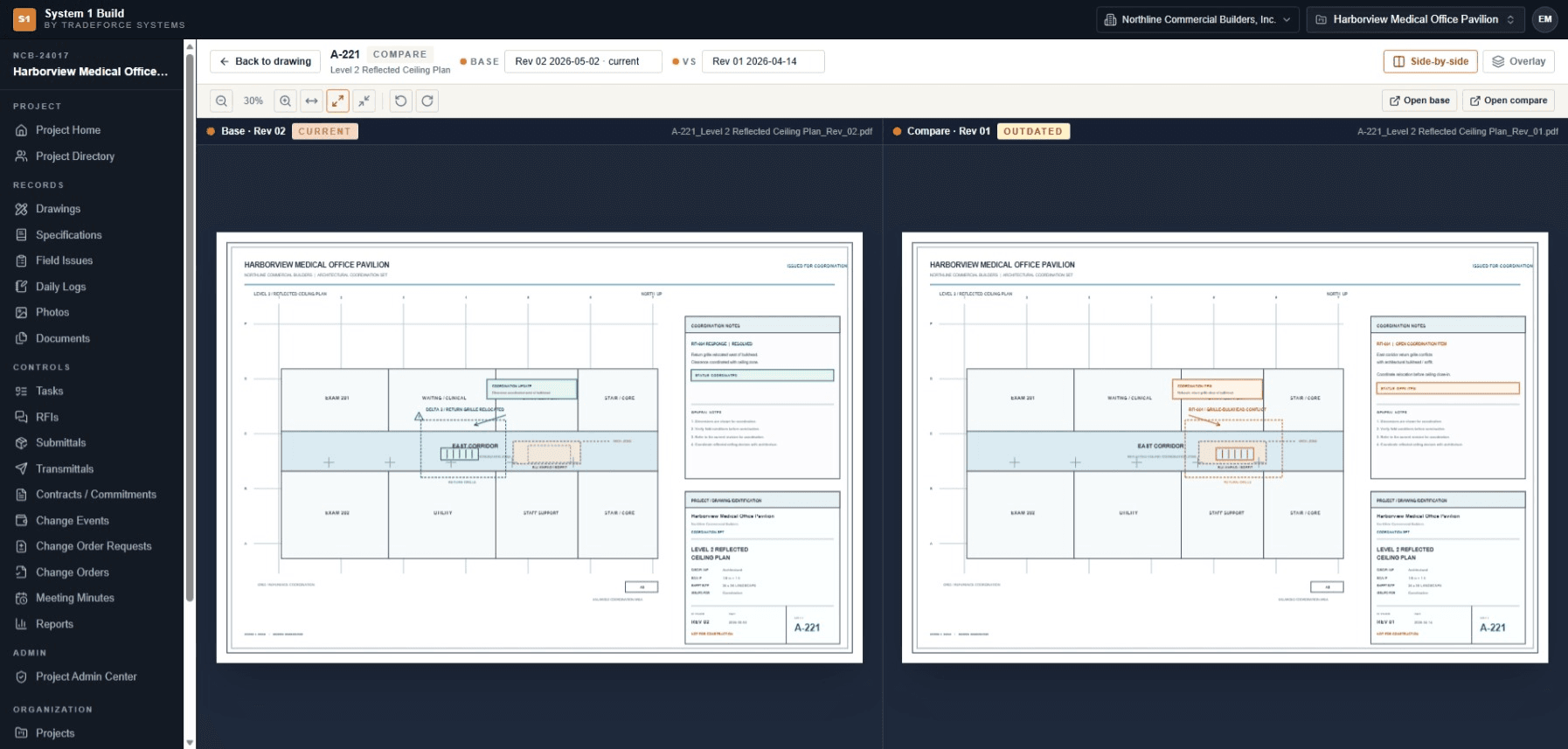
See what changed — not just that a revision exists.
Put the current sheet beside the revision it replaced, in synchronized side-by-side panes or an opacity-blended overlay, with the two states named: Rev 02 reads CURRENT, Rev 01 reads OUTDATED. Coordination catches happen against what changed, not against a memory of it.
Scroll sideways to see the full comparison, or use the arrow keys.
Get sheets in, and connect them to the work.
Batch upload splits a multi-page PDF one sheet per page and stages the set for a metadata review before it publishes to the register. Title-block metadata is suggested from the sheet's own text layer for you to confirm. A field issue can be raised directly from a sheet and pinned to it, and a region on one sheet can link to another.
What drawing control covers.
- Drawing register
- Number, title, discipline, area, set, dates, status and the current revision for every sheet.
- Batch upload and staged review
- Split a multi-page PDF one sheet per page, review metadata, then publish to the register.
- Title-block metadata
- Suggested from the sheet's own text layer for you to confirm.
- In-app viewer and markup
- Zoom, rotate and page controls; markup layers saved against the revision, lockable and exportable as a PDF.
- Revision compare
- Side-by-side or overlay comparison with CURRENT and OUTDATED named.
- Sheet links and pinned issues
- Link a region on one sheet to another, and raise a field issue pinned to the sheet it came from.
Drawing management questions.
How do I know which revision is current?
The register names the current revision of each sheet. Superseded revisions stay addressable for comparison, but the current one is stated rather than inferred.
Can I compare two revisions of a sheet?
Yes. Compare puts the current sheet beside the revision it replaced, side-by-side or as an opacity-blended overlay, with Rev 02 marked CURRENT and Rev 01 marked OUTDATED.
How do drawing sets get in?
Batch upload splits a multi-page PDF one sheet per page and stages the set for a metadata review before it publishes to the register.
Can markups be kept with a sheet?
Yes. Markup layers save against the revision in normalized coordinates, can be locked or hidden, and the marked-up sheet exports as a PDF download.
See revision control against your own drawing set.
Tell us how your team tracks drawings and revisions today, and we'll come back to you by email with pricing and fit information.