
Project Workspace
The job, and the state it is in.
Open the project and its working context is already resolved — so nobody starts the day reconstructing where the job stands.
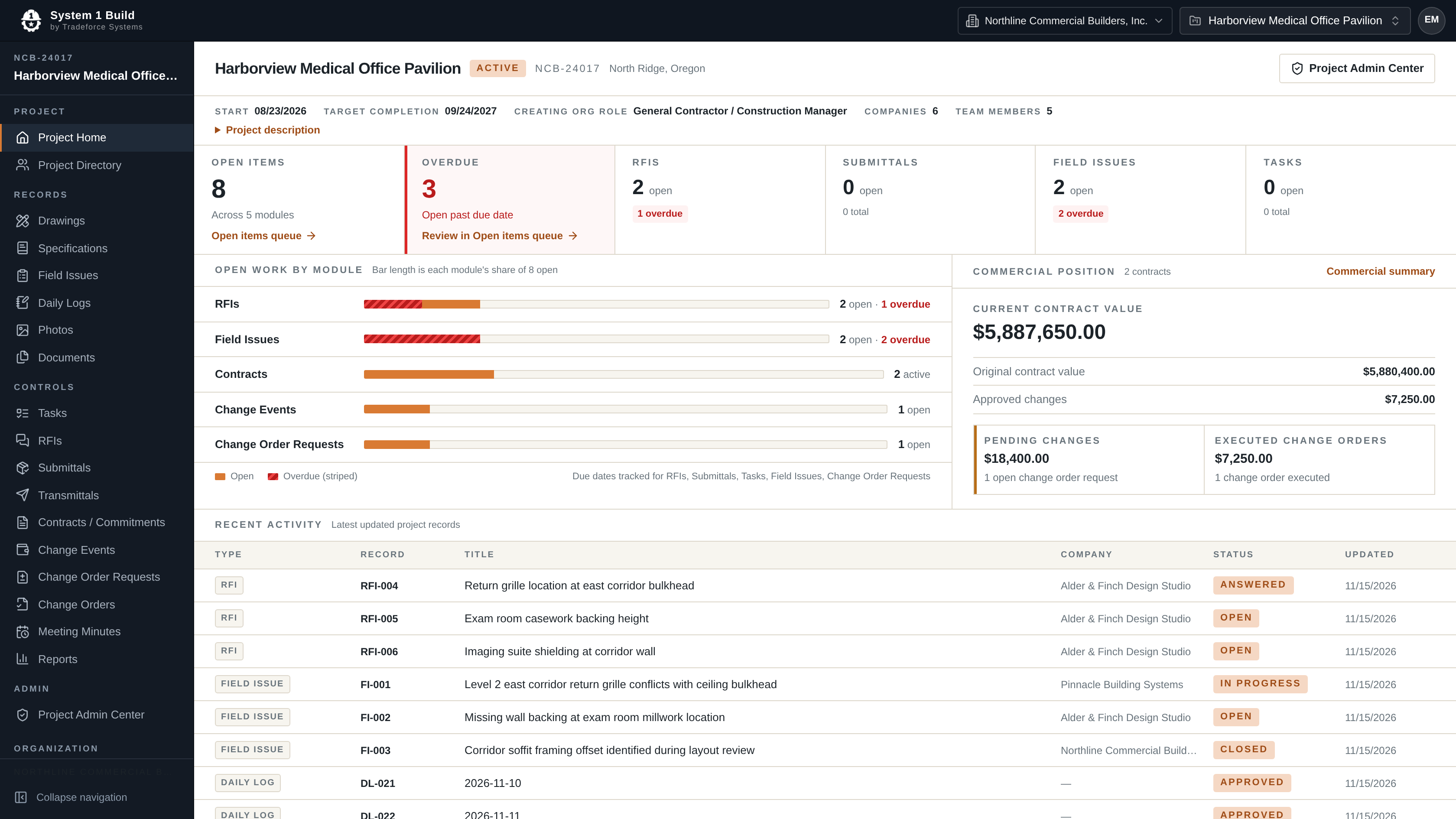
One view
Read the state of the project, don’t rebuild it.
Open items resolve across every record type at once, recent activity shows what actually moved, and the project directory holds the companies and people on the job — so the state of the project is read from the record rather than assembled from it.
In System 1 Build
What the workspace holds.
- Project context
- Number, status, location, start and target completion held on the project record.
- Open items
- Counts across RFIs, submittals, tasks, field issues, change events, change order requests, change orders and contracts.
- Recent activity
- The latest updated records across the project, with the responsible company and current status.
- Project directory
- The companies and team members attached to the project.
- Register search
- Every module register is searchable and filterable.
Request Pricing
See your own project in one view.
Tell us how your team keeps track of where a job stands today, and we'll come back to you by email with pricing and fit information.