
Who System 1 Build is for.
Two audiences, one shared problem. Both run projects where the record has outgrown the tools holding it. The work each one needs from that record is different.
Commercial General Contractors
You are the point where every other company's information has to agree. The project record is the coordination surface.
Coordinating companies, not just documents.
A commercial project carries several companies, each producing drawings, questions, submissions and field observations at their own pace. When those land in separate inboxes and folders, the general contractor absorbs the cost of reconciling them.
System 1 Build organises project controls around the job itself, so the current state of the record is something the team reads rather than rebuilds.
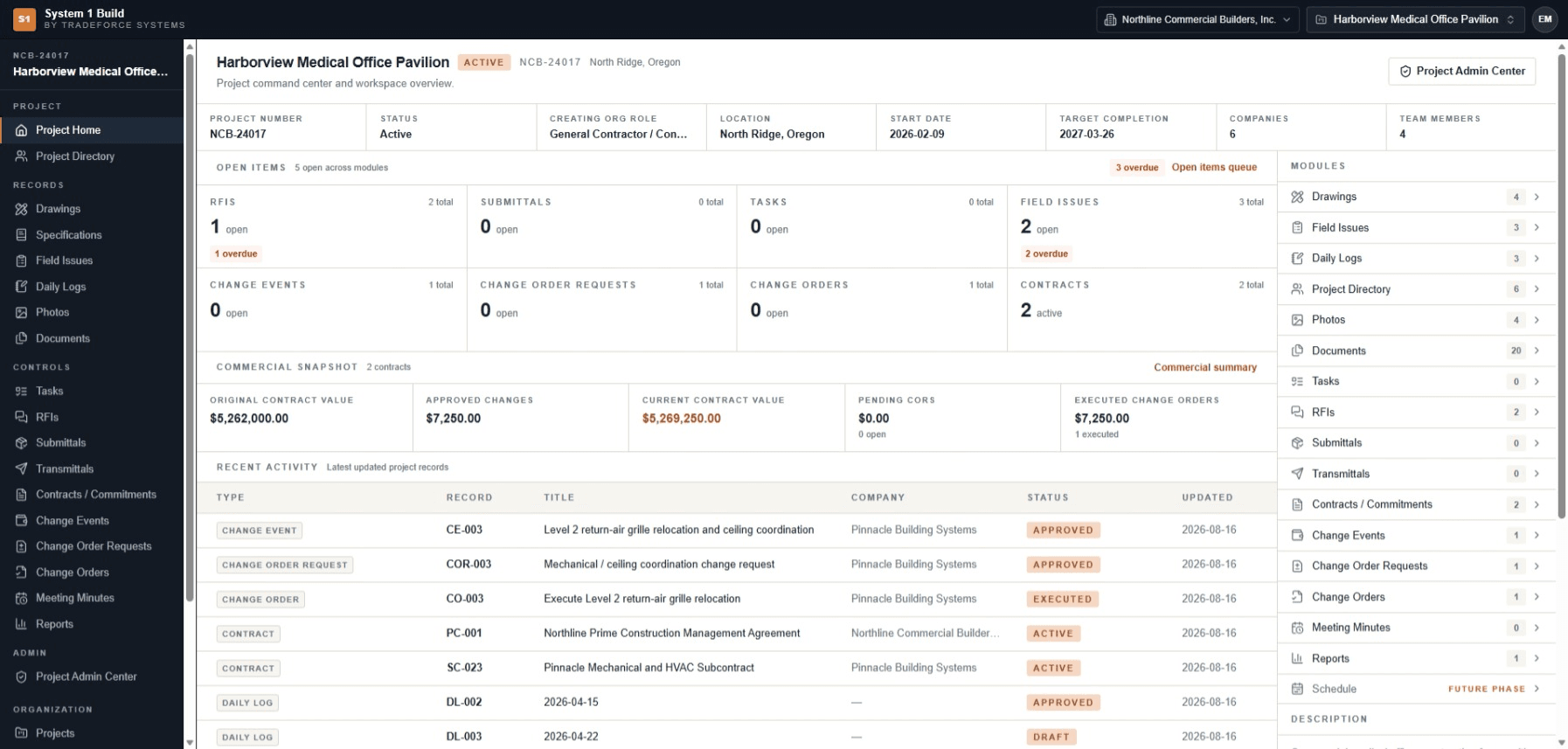
Project information fragmentation
Project context, open items and recent activity resolve in one workspace instead of across several tools.
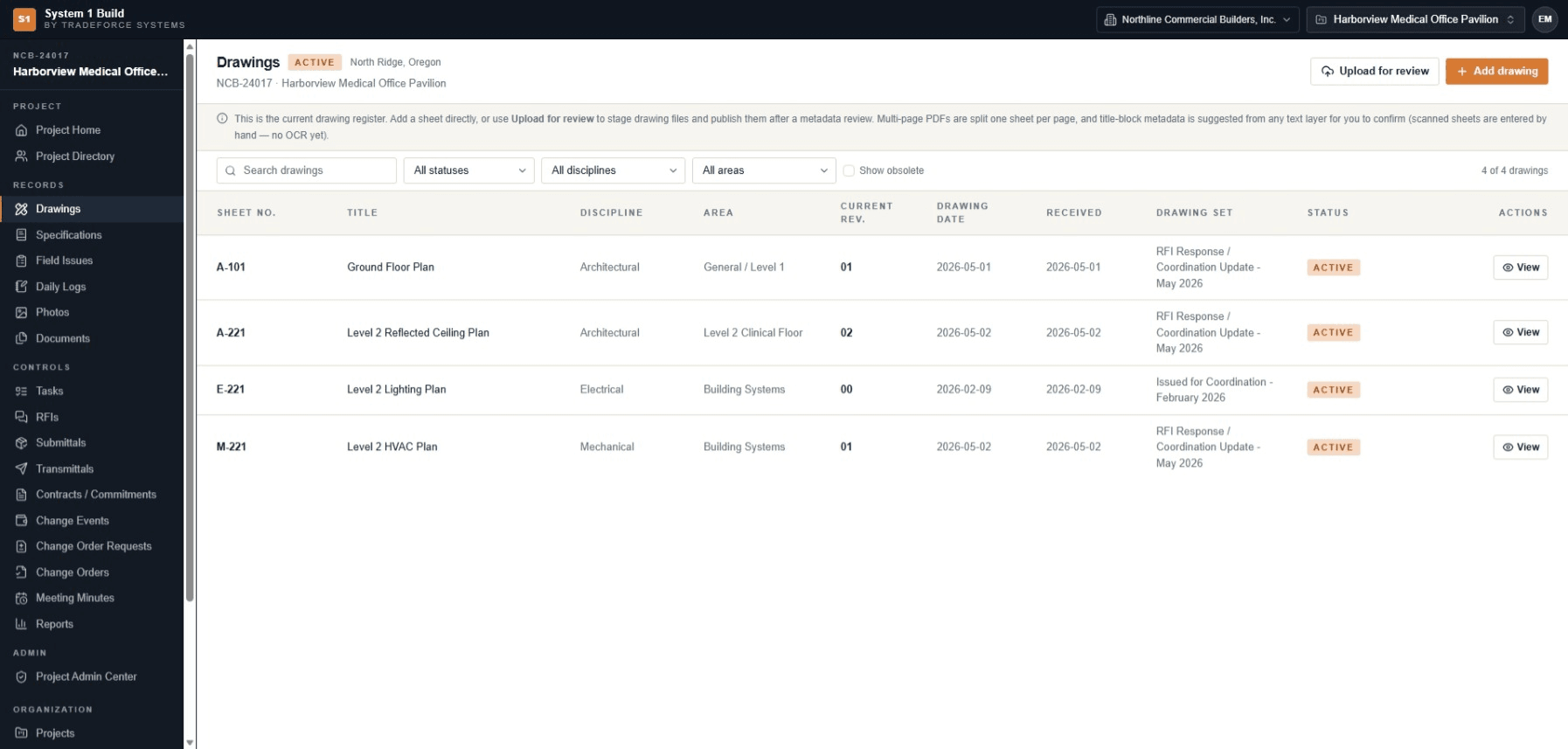
Drawing and revision control
A register that names the current revision, with the previous one still addressable for comparison.
RFIs, documents and specifications
Questions and documentation held against the project, with open and overdue visibility.
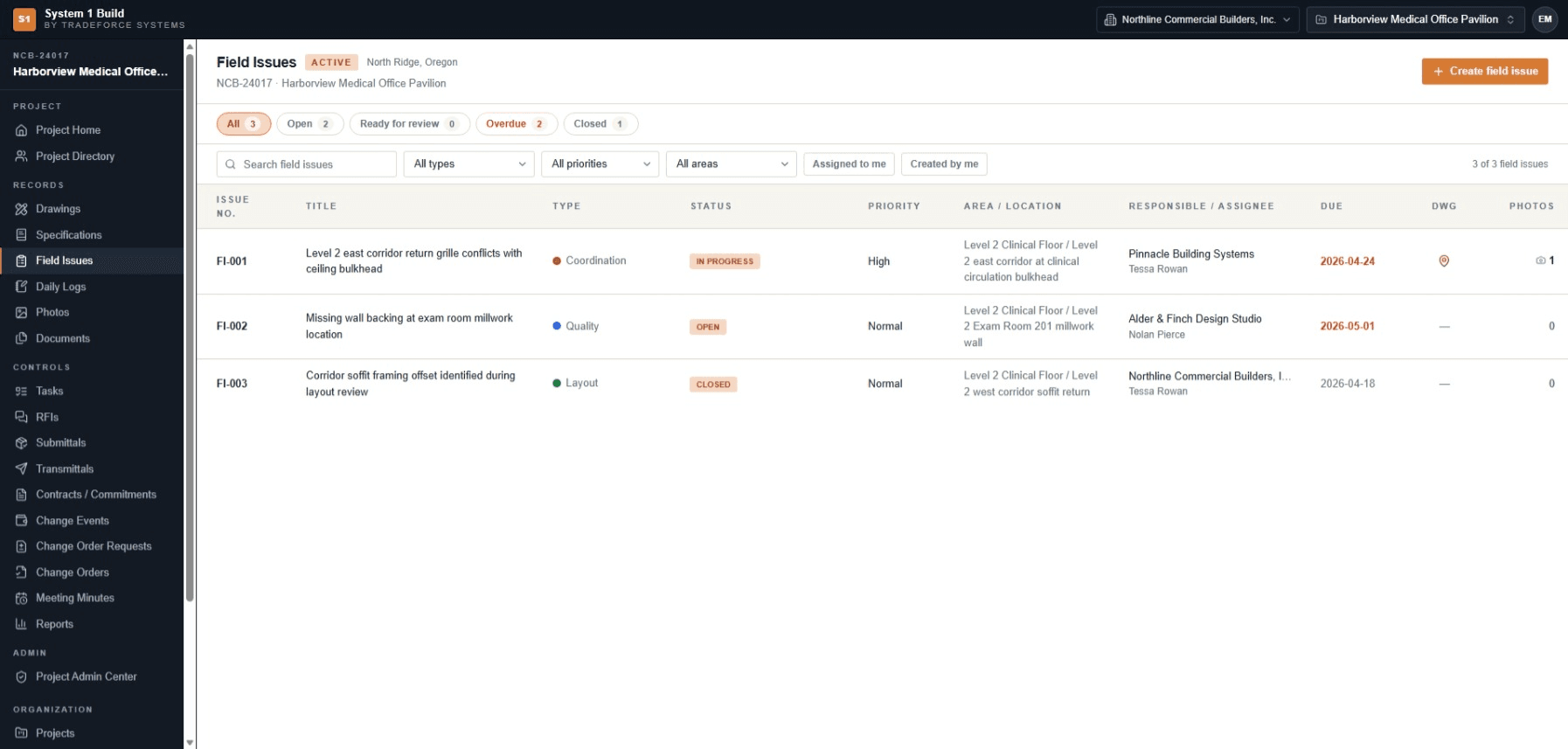
Field records and issues
Field issues typed, assigned to a responsible company and dated, with the drawing they came from.
Contract and change visibility
Contracts, change events and change orders visible at project level as they move.
Role coordination
Project managers, engineers, superintendents and administrators working from the same record.
When a revision moves, everything downstream moves with it.
A reflected ceiling plan changes, an RFI response drives it, and a mechanical sheet has to agree. Holding sheets, disciplines, areas, revisions and drawing sets in one register is what makes that traceable rather than remembered.
Specialty Contractors
Fewer projects, deeper detail. The record has to prove what you were issued, what you raised and what you were owed.
Project management intensity without the platform overhead.
For project-management-intensive trades the same problem appears at a different scale: the crew needs the current sheet, the office needs the issue documented, and both need the trail of what was issued and when.
System 1 Build can act as a focused workspace for specialty contractors whose project record has outgrown ad hoc tools but does not need a broad platform to hold it.
Project information fragmentation
One project record instead of a folder tree, a spreadsheet and a phone.
Working from the current sheet
The register names the current revision, and compare shows what changed against the one it replaced.
RFIs, documents and specifications
The questions you raised and the documentation you were issued, held against the job.
Field records and issues
Issues typed, dated and attributed, with photos and the drawing reference attached.
Change visibility
Change events and change order requests visible against the contract they belong to.
A defensible record
Daily logs, transmittals and meeting minutes kept where they can be found later.
Two audiences, stated deliberately.
System 1 Build is built for commercial general contractors and project-management-intensive specialty contractors. It is not positioned today for owners, residential builders, civil and infrastructure programmes, EPC delivery or public-sector procurement.
Naming the audience narrowly is how the product stays focused on the workflows those teams actually run.
Outgrowing spreadsheets and shared drives?
When the team spends too much time reconstructing the current record, a focused project workspace can create a clearer operating rhythm — without adding software breadth for its own sake.